
Dahua DH-CS4218-16ET-240-V2 18-Port Cloud Managed Desktop Switch with 16-Port PoE
Skip to product information
1
/
of
1
Vendor:
Dahua
Dahua DH-CS4218-16ET-240-V2 18-Port Cloud Managed Desktop Switch with 16-Port PoE
SKU: DH-CS4218-16ET-240-V2
Description
The Dahua DH-CS4218-16ET-240-V2 is an 18-port cloud-managed desktop and rack switch with 16 PoE ports, built to power and connect the cameras on a small or medium site. It has a 240 W total PoE budget across 16 x 10/100 Mbps PoE ports, plus two gigabit combo uplinks (RJ45 or SFP) to the network core. Ports 1 and 2 add 802.3bt and Hi-PoE up to 90 W each for higher-power devices, and a DIP switch flips the whole unit between cloud-managed and plug-and-play unmanaged operation.
Key points
- 16 x 10/100 Mbps PoE ports, 240 W total budget — around 16 standard cameras
- 802.3af/at on all PoE ports; ports 1-2 add 802.3bt / Hi-PoE up to 90 W
- 2 gigabit combo uplinks (RJ45 / SFP) to the network core
- DoLynk cloud management, LLDP topology, 802.1Q VLAN and loop protection
- PoE Watchdog auto-restarts a stalled camera port; 250 m long-distance PoE at 10 Mbps
- Full-metal case, 6 kV surge protection, -10 to +55 C; desktop or rack mount
Regular price
$338.10 AUD
Sale price
$338.10 AUD
Regular price
$350.00 AUD
Sale
3.4%
$11.90 AUD
(3.4%)
Delivery, warranty & returns · 3-year warranty · shipped from Australian stock
- Tracked delivery on every order. The tracking number is emailed as soon as it ships.
- Metro delivery: 2–4 business days. Regional areas may take longer. Free standard shipping over $300, flat $25 under.
- 3-year warranty on cameras and recorders, back-to-base, plus your Australian Consumer Law rights.
- 30-day returns on unopened items. Faulty on arrival? We cover return shipping.
- Genuine Australian stock. Never grey imports. Prices include GST.
In stock
Dahua DH-CS4218-16ET-240-V2 18-Port Cloud Managed Desktop Switch with 16-Port PoE

1
/
of
1
All cameras, NVRs and DVRs come with a 3-year back-to-base manufacturer warranty covering defects in materials and workmanship, in addition to your rights under Australian Consumer Law. Hard drives and accessories are covered as set out in our Warranty Policy.
Standard shipping is free on all orders over $300 AUD, Australia-wide. Orders under $300 ship at a flat rate of $25, calculated at checkout. Tracking is included on every order.
You have 30 days from the day you receive your order to request a change-of-mind return. Items must be unopened, factory-sealed and in resalable condition. A 15% restocking fee applies and return postage is at your cost. Faulty or incorrectly supplied items are different: we cover the return shipping and refund or replace at no charge. Read the full Return & Refund Policy.
Metro delivery usually takes 2–4 business days after dispatch, and regional areas may take longer. You'll receive a tracking number by email as soon as your order leaves the warehouse.
Optional extras
Accessories & upgrades
—
Complete setup from
$708.10
01Overview
What the DH-CS4218-16ET-240-V2 is
The Dahua DH-CS4218-16ET-240-V2 is the switch that sits between your cameras and your recorder. It powers and connects up to 16 IP cameras over its 16 x 10/100 Mbps PoE ports, with a 240 W total PoE budget that comfortably runs around sixteen standard cameras, and two gigabit combo uplinks (copper or fibre) carry the combined video stream back to the NVR or network core. Ports 1 and 2 step up to 802.3bt and Hi-PoE at up to 90 W each, so a PTZ or a high-power illuminator camera has the headroom it needs.
It is as simple or as managed as you want. A DIP switch turns managed mode on or off: leave it off for plug-and-play, or turn it on for local web and DoLynk Care cloud management with network topology (LLDP), 802.1Q VLANs, loop protection and remote monitoring from the app. A PoE Watchdog quietly watches each camera port and restarts it if the camera stops responding, which saves a trip to site for a frozen camera, and a long-distance PoE mode reaches up to 250 m at 10 Mbps for a far gate or shed camera.
A few practical notes. The 16 PoE ports are 10/100 Mbps Fast Ethernet, which is plenty for the great majority of IP cameras; the gigabit speed is on the two uplinks where the combined traffic needs it. The full-metal case handles heat without a fan and carries 6 kV surge protection against static, lightning and pulses, and it runs from -10 to +55 C on a built-in 100-240 VAC supply. It mounts on a desk or in a rack, and is genuine Australian Dahua stock with local 3-year warranty and support.
02Engineering
DH-CS4218-16ET-240-V2 specifications
- 18-port cloud-managed PoE switch for IP camera systems
- 16 x 10/100 Mbps PoE ports with a 240 W total PoE budget (around 16 standard cameras)
- 802.3af/at on all PoE ports; ports 1-2 add 802.3bt / Hi-PoE up to 90 W each
- 2 x gigabit combo uplinks (RJ45 or SFP) to the network core
- DIP switch to flip between cloud-managed and unmanaged plug-and-play modes
- DoLynk Care cloud and local web management: LLDP topology, 802.1Q VLAN, loop protection
- PoE Watchdog auto-restarts a stalled camera port; 250 m long-distance PoE at 10 Mbps
- Full-metal fanless case, 6 kV surge protection, -10 to +55 C; desktop or rack mount; 100-240 VAC
- 16 x 10/100 Mbps PoE ports with a 240 W total PoE budget (around 16 standard cameras)
- 802.3af/at on all PoE ports; ports 1-2 add 802.3bt / Hi-PoE up to 90 W each
- 2 x gigabit combo uplinks (RJ45 or SFP) to the network core
- DIP switch to flip between cloud-managed and unmanaged plug-and-play modes
- DoLynk Care cloud and local web management: LLDP topology, 802.1Q VLAN, loop protection
- PoE Watchdog auto-restarts a stalled camera port; 250 m long-distance PoE at 10 Mbps
- Full-metal fanless case, 6 kV surge protection, -10 to +55 C; desktop or rack mount; 100-240 VAC
03Full datasheet
Detailed specifications
Network & Storage
| Feature | Detail |
|---|---|
| Layer | Layer 2 |
| Switching Capacity | 7.2 Gbps |
| Packet Forwarding Rate | 5.36 Mpps |
| MTBF | 1626836 h |
| Packet Buffer Size | 4 Mbit |
| Jumbo Frame | 9216 Byte |
| MAC Table Size | 8K |
| Communication Standard | IEEE 802.3, IEEE 802.3u, IEEE 802.3X, IEEE 802.3ab, IEEE 802.3z, IEEE 802.3az |
| VLAN Number | 32 |
| VLAN Function | IEEE 802.1Q VLAN |
| Port Feature | IEEE 802.3x Flow Control; Unknown Unicast Suppression; Multicast Storm Control; Broadcast Storm Control; MAC+Port Binding; Loop Prevention |
| Mirror | Local Port Mirroring; N:1 Mirroring |
| Reliability | LLDP |
| DHCP Function | DHCP Client |
| Security | Port Isolation |
| Equipment Management | Web Management; Cloud Management; Logs; Fault Alarm |
| Cloud Management | Devices can be managed through the DoLynk Care app for real-time network monitoring; displays device status, triggers alarms for errors in real time, and sends notifications |
Event & Alarm
| Feature | Detail |
|---|---|
| PoE Watchdog | Automatically detects port status and restarts failed PoE ports to recover connection in case of IPC connection exception (auto-restarts when there is no traffic for 2 min on ports 1-16; only works when Managed Mode is Off) |
| Loop Protection | When a loop is detected, the loop alarm will be triggered and the elimination mechanism will activate to prevent broadcast storms |
Interface
| Feature | Detail |
|---|---|
| Ports | Port 1-16: 16 × RJ45 10/100 Mbps (PoE) | Port 17-18: 2 × RJ45 10/100/1000 Mbps (Combo) | Port 17-18: 2 × SFP 1000 Mbps (Combo) |
| PoE | Yes |
| PoE Power | Port 3-16 ≤ 30 W; port 1-2 ≤ 90 W; total ≤ 240 W |
| PoE Protocol | IEEE 802.3af; IEEE 802.3at; Hi-PoE; IEEE 802.3bt |
| PoE Power Consumption Management | PoE power consumption management; PoE power on/off; turns off PoE if overload is detected |
| PoE Pin Assignment | Port 1-2: 1, 2, 4, 5 (V+), 3, 6, 7, 8 (V-) | Port 3-16: 1, 2, (V+), 3, 6, (V-) |
| Long Distance PoE Transmission | Yes (up to 250 m at 10 Mbps) |
| DIP Switch | Managed Mode: On by default for local web and cloud management. Off for Unmanaged Mode. | PoE Watchdog: Monitors ports 1-16 and auto-restarts the PoE port when there is no traffic for 2 min. (Only works when Managed Mode is Off) | Extend Mode: Ports 1-16; transmission distance up to 250 meters at 10 Mbps. (Only works when Managed Mode is Off) |
| Reset Button | 1 |
General & Environment
| Feature | Detail |
|---|---|
| Operating Temperature | –10 °C to +55 °C (+14 °F to +131 °F) |
| Operating Humidity | 10%–90% (RH), non-condensing |
| Storage Temperature | -40 °C to +70 °C (-40 °F to +158 °F) |
| Storage Humidity | 5%–95% (RH), non-condensing |
| Power Supply | Built-in power supply: 100–240 VAC, 47–63 Hz, max 4 A |
| Power Consumption | Idling: 3 W | Full load: 246.8 W |
| Statics Protection | Air discharge: 8 kV | Contact discharge: 6 kV |
| Lightning Protection | Common mode: 6 kV | Differential mode: 1 kV |
| Net Weight | 2.5 kg (5.51 lb) |
| Gross Weight | 3.2 kg (7.05 lb) |
| Product Dimensions | 440 mm × 228.81 mm × 43.65 mm (× 9.01" × 1.72") (L × W × H) |
| Packaging Dimensions | 540 mm × 342 mm × 90 mm (21.26" × 13.46" × 3.54") (L × W × H) |
| Casing Material | Sheet metal |
| Installation | Desktop mount; rack mount |
| Certifications | CE |
| Packing List | 1 × User Manual; 1 × Legal and Regulatory Information; 1 × Power Cord; 1 × Rack-mounting Kit |
| Network & Storage — Layer | Layer 2 |
|---|---|
| Network & Storage — Switching Capacity | 7.2 Gbps |
| Network & Storage — Packet Forwarding Rate | 5.36 Mpps |
| Network & Storage — MTBF | 1626836 h |
| Network & Storage — Packet Buffer Size | 4 Mbit |
| Network & Storage — Jumbo Frame | 9216 Byte |
| Network & Storage — MAC Table Size | 8K |
| Network & Storage — Communication Standard | IEEE 802.3, IEEE 802.3u, IEEE 802.3X, IEEE 802.3ab, IEEE 802.3z, IEEE 802.3az |
| Network & Storage — VLAN Number | 32 |
| Network & Storage — VLAN Function | IEEE 802.1Q VLAN |
| Network & Storage — Port Feature | IEEE 802.3x Flow Control; Unknown Unicast Suppression; Multicast Storm Control; Broadcast Storm Control; MAC+Port Binding; Loop Prevention |
| Network & Storage — Mirror | Local Port Mirroring; N:1 Mirroring |
| Network & Storage — Reliability | LLDP |
| Network & Storage — DHCP Function | DHCP Client |
| Network & Storage — Security | Port Isolation |
| Network & Storage — Equipment Management | Web Management; Cloud Management; Logs; Fault Alarm |
| Network & Storage — Cloud Management | Devices can be managed through the DoLynk Care app for real-time network monitoring; displays device status, triggers alarms for errors in real time, and sends notifications |
| Event & Alarm — PoE Watchdog | Automatically detects port status and restarts failed PoE ports to recover connection in case of IPC connection exception (auto-restarts when there is no traffic for 2 min on ports 1-16; only works when Managed Mode is Off) |
| Event & Alarm — Loop Protection | When a loop is detected, the loop alarm will be triggered and the elimination mechanism will activate to prevent broadcast storms |
| Interface — Ports | Port 1-16: 16 × RJ45 10/100 Mbps (PoE) | Port 17-18: 2 × RJ45 10/100/1000 Mbps (Combo) | Port 17-18: 2 × SFP 1000 Mbps (Combo) |
| Interface — PoE | Yes |
| Interface — PoE Power | Port 3-16 ≤ 30 W; port 1-2 ≤ 90 W; total ≤ 240 W |
| Interface — PoE Protocol | IEEE 802.3af; IEEE 802.3at; Hi-PoE; IEEE 802.3bt |
| Interface — PoE Power Consumption Management | PoE power consumption management; PoE power on/off; turns off PoE if overload is detected |
| Interface — PoE Pin Assignment | Port 1-2: 1, 2, 4, 5 (V+), 3, 6, 7, 8 (V-) | Port 3-16: 1, 2, (V+), 3, 6, (V-) |
| Interface — Long Distance PoE Transmission | Yes (up to 250 m at 10 Mbps) |
| Interface — DIP Switch | Managed Mode: On by default for local web and cloud management. Off for Unmanaged Mode. | PoE Watchdog: Monitors ports 1-16 and auto-restarts the PoE port when there is no traffic for 2 min. (Only works when Managed Mode is Off) | Extend Mode: Ports 1-16; transmission distance up to 250 meters at 10 Mbps. (Only works when Managed Mode is Off) |
| Interface — Reset Button | 1 |
| General & Environment — Operating Temperature | –10 °C to +55 °C (+14 °F to +131 °F) |
| General & Environment — Operating Humidity | 10%–90% (RH), non-condensing |
| General & Environment — Storage Temperature | -40 °C to +70 °C (-40 °F to +158 °F) |
| General & Environment — Storage Humidity | 5%–95% (RH), non-condensing |
| General & Environment — Power Supply | Built-in power supply: 100–240 VAC, 47–63 Hz, max 4 A |
| General & Environment — Power Consumption | Idling: 3 W | Full load: 246.8 W |
| General & Environment — Statics Protection | Air discharge: 8 kV | Contact discharge: 6 kV |
| General & Environment — Lightning Protection | Common mode: 6 kV | Differential mode: 1 kV |
| General & Environment — Net Weight | 2.5 kg (5.51 lb) |
| General & Environment — Gross Weight | 3.2 kg (7.05 lb) |
| General & Environment — Product Dimensions | 440 mm × 228.81 mm × 43.65 mm (× 9.01" × 1.72") (L × W × H) |
| General & Environment — Packaging Dimensions | 540 mm × 342 mm × 90 mm (21.26" × 13.46" × 3.54") (L × W × H) |
| General & Environment — Casing Material | Sheet metal |
| General & Environment — Installation | Desktop mount; rack mount |
| General & Environment — Certifications | CE |
| General & Environment — Packing List | 1 × User Manual; 1 × Legal and Regulatory Information; 1 × Power Cord; 1 × Rack-mounting Kit |
04Why choose this
Built for the way you actually use the DH-CS4218-16ET-240-V2
Headroom for big cameras
Ports 1-2 deliver up to 90 W with 802.3bt and Hi-PoE for PTZ and illuminator cameras.
Managed only if you want
A DIP switch flips between plug-and-play and full cloud management with VLANs and topology.
Fewer site visits
PoE Watchdog restarts a frozen camera port by itself, and 250 m long-distance PoE reaches far cameras.
05Where it fits
Right at home in these scenarios
Home and small-business CCTV
Power and connect a dozen-plus cameras around a house, shop or office from a single switch.
Far gate and shed cameras
Use long-distance PoE to reach a camera up to 250 m away that a standard run cannot power.
PTZ and illuminator cameras
Drive a high-power PTZ or strong-illuminator camera from the 90 W Hi-PoE ports.
Fibre-backboned sites
Uplink over SFP fibre to the recorder or core on a larger or spread-out property.
06Setup
Installation & setup
-
01
What's in the box
One DH-CS4218-16ET-240-V2 switch with a power cord and rack-mounting kit. Cameras, network cabling and any SFP modules are supplied separately.
-
02
Installation requirements
Sit it on a desk or rack it, power it from mains, and connect cameras to the PoE ports and the recorder or core to a gigabit combo uplink. Add up your cameras' wattage against the 240 W budget, set the DIP switches for managed or unmanaged mode and any long-distance PoE you need, and enrol it in DoLynk Care if you want cloud management.
08Questions
Frequently asked about the DH-CS4218-16ET-240-V2
Q.01
How many cameras can the CS4218-16ET-240-V2 power?
It has 16 PoE ports and a 240 W total PoE budget, which runs around sixteen standard IP cameras. The exact number depends on each camera's draw — standard fixed cameras use a few watts each, while PTZ or illuminator cameras use more, so add up your cameras' wattage against the 240 W budget.
Q.02
Are the PoE ports gigabit?
No. The 16 PoE ports are 10/100 Mbps Fast Ethernet, which is enough for almost all IP cameras. The two combo uplink ports are gigabit, where the combined traffic from all the cameras needs the extra bandwidth back to the recorder or network.
Q.03
Can it power a PTZ or a high-power camera?
Yes, on ports 1 and 2. Those two red ports support 802.3bt and Hi-PoE up to 90 W each, which covers PTZ cameras, illuminator cameras and other higher-power devices. The remaining ports deliver up to 30 W each on 802.3af/at.
Q.04
Do I have to manage it, or can it just work?
Either way. A DIP switch turns managed mode off for plug-and-play use, or on for local web and DoLynk Care cloud management with VLANs, topology and remote monitoring. Many installs run it unmanaged and still get PoE Watchdog and long-distance PoE.
Q.05
What does the PoE Watchdog do?
It watches each camera port and, if a camera stops sending traffic, automatically restarts the power to that port to recover the connection. That clears a frozen camera without anyone going to site, which cuts maintenance call-outs.
Q.06
How far can it run a camera over PoE?
Standard PoE reaches about 100 m. With long-distance PoE mode enabled, the ports extend to up to 250 m at 10 Mbps, which is useful for a camera on a far gate, shed or boundary where a normal 100 m run will not reach.
Q.07
Can I use fibre to the recorder?
Yes. The two gigabit combo uplinks accept either RJ45 copper or an SFP fibre module, so you can run a fibre backbone from the switch to the core or recorder on a larger or spread-out site.
Q.08
Is this genuine Australian Dahua stock with warranty?
Yes. It is supplied as genuine Australian Dahua stock with local 3-year warranty and support, and free shipping on orders over A$300.
Buying from Smarket
Is your Hikvision, Dahua, HiLook and TP-Link VIGI stock genuine Australian stock?
Yes, 100%. Every Hikvision, Dahua, HiLook and TP-Link VIGI product we sell is a genuine Australian-market model sourced through Australian supply chains — never grey imports. That means factory-sealed units, Australian-region firmware that works with the official apps out of the box, and a full 3-year local warranty.
How long does delivery take?
Metro delivery usually takes 2–4 business days after dispatch, and regional areas may take longer. You'll receive a tracking number by email as soon as your order leaves the warehouse.
How much is shipping?
Standard shipping is free on all orders over $300 AUD, Australia-wide. Orders under $300 ship at a flat rate of $25, calculated at checkout. Tracking is included on every order.
What warranty do you offer?
All cameras, NVRs and DVRs come with a 3-year back-to-base manufacturer warranty covering defects in materials and workmanship, in addition to your rights under Australian Consumer Law. Hard drives and accessories are covered as set out in our Warranty Policy.
What is your return policy?
You have 30 days from the day you receive your order to request a change-of-mind return. Items must be unopened, factory-sealed and in resalable condition. A 15% restocking fee applies and return postage is at your cost. Faulty or incorrectly supplied items are different: we cover the return shipping and refund or replace at no charge. Read the full Return & Refund Policy.
Do you offer installation?
We can connect you with licensed installers in Sydney and Melbourne. Installation typically starts from around $200 per camera depending on cable runs and site conditions. Email sales@smarket.com.au with your address and camera count for a quote.
09In motion

Dahua Cloud Managed Switches Review
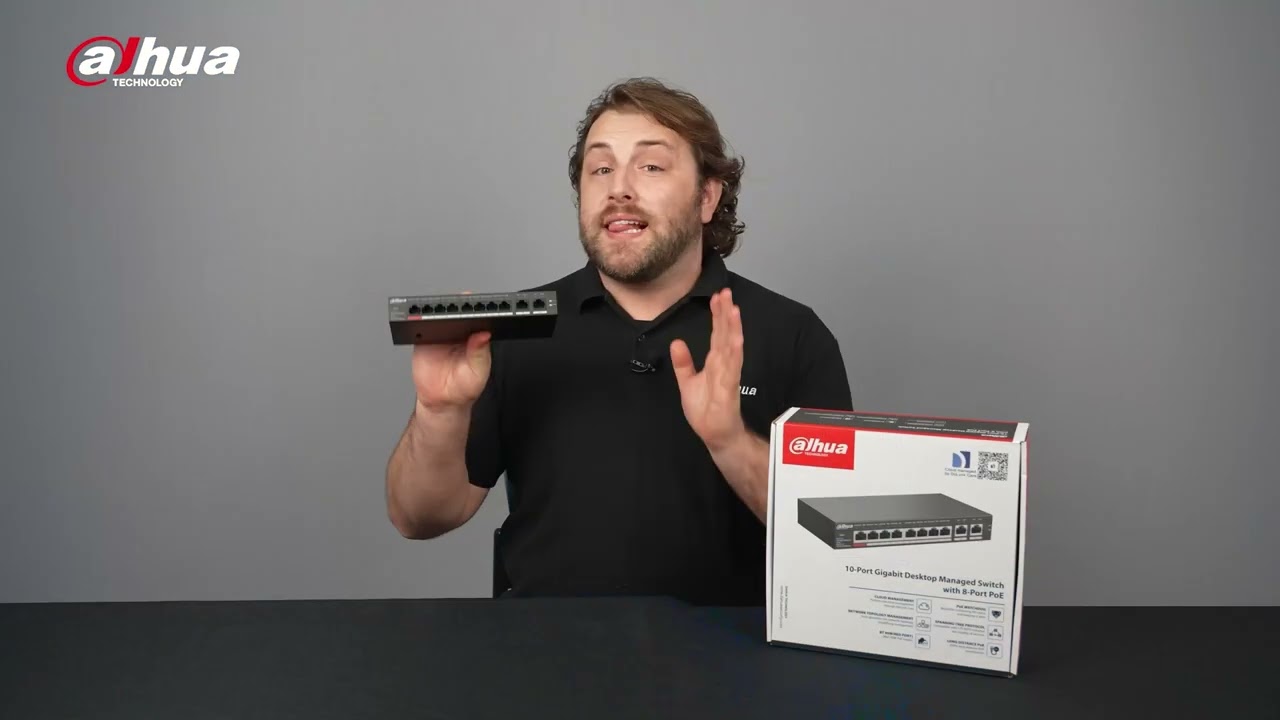
New Dahua PoE Cloud Managed Switch
10Bundles
Recommended packages
Connect your cameras
It powers Dahua PoE cameras such as a WizMind 4MP bullet, or the long-range ITC413 ANPR camera in this range, over a single cable each.
Send video to a recorder
Uplink it to an AcuSense PoE NVR such as the NVR4216-16P 16-channel, or the AI NVR5416 16-channel, for recording and playback.
Powering a PTZ or illuminator camera?
Use ports 1-2 for 802.3bt / Hi-PoE up to 90 W; the other ports deliver up to 30 W each on 802.3af/at.
Reaching a far camera?
Enable long-distance PoE for up to 250 m at 10 Mbps, or uplink over SFP fibre on a larger site.